
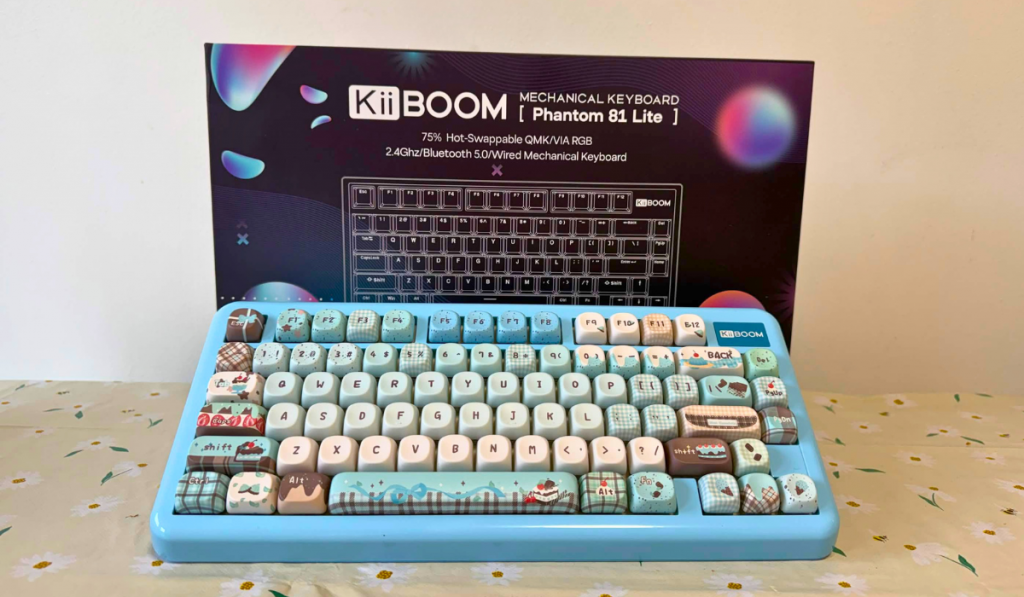
If your TikTok feed is anything like mine you’ll have seen the very pretty KiiBOOM keyboards and keycaps in their various shades, themes and sizes. Now, I’ve reviewed my fair share of PC peripherals during my time with Thumb Culture. None have been as aesthetically pleasing as the KiiBOOM Phantom 81 Lite though!
Cute keycaps are the cherry on top
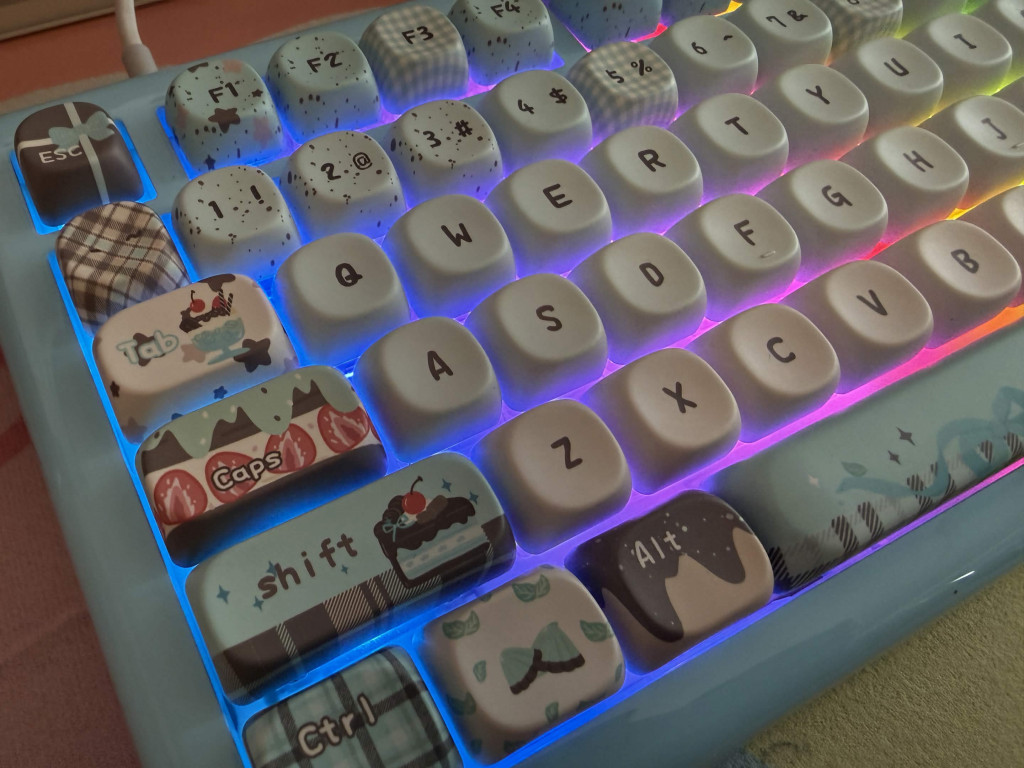
For this review I’ll be checking out the KiiBOOM Phantom 81 Lite in blue which come with a mint chocolate desert themed keycaps as standard. This 75% mechanical keyboard will set you back around £80. So are you paying for just it’s pretty looks? Or does the tech also justify the price? Let’s find out.
Design
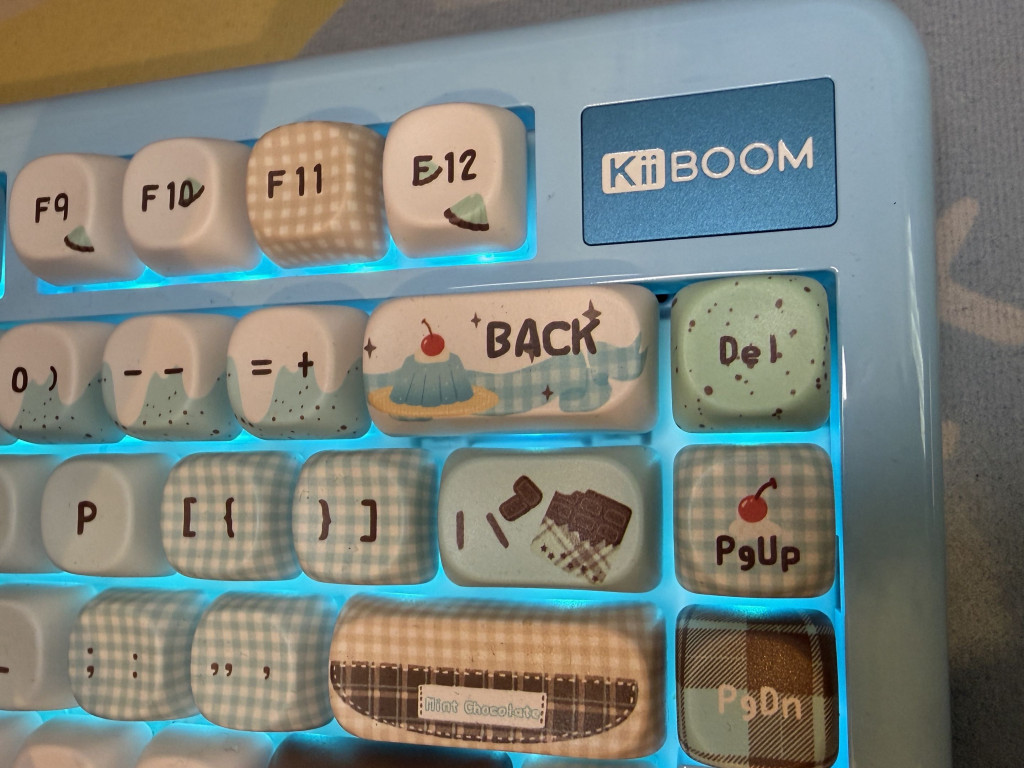
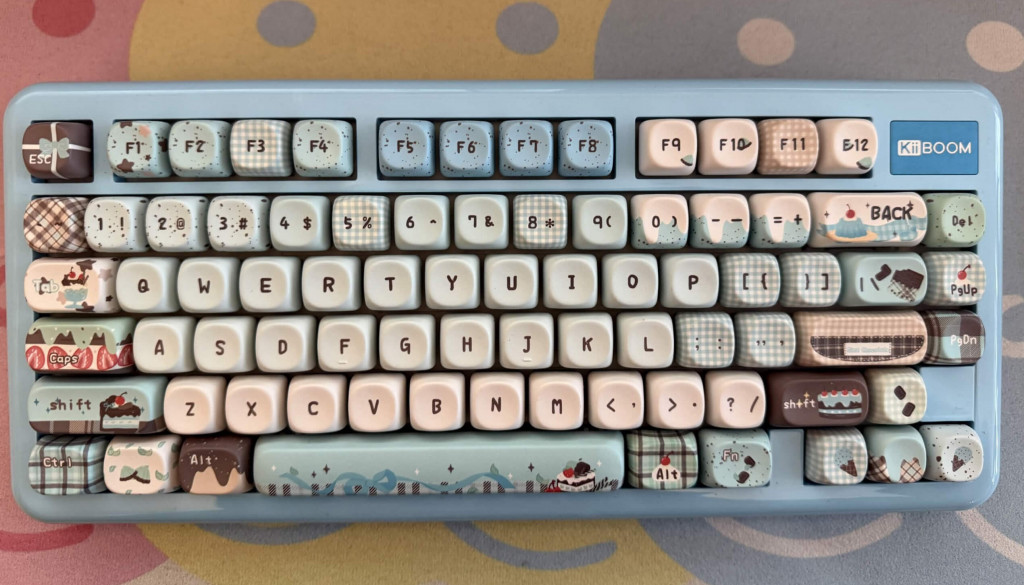
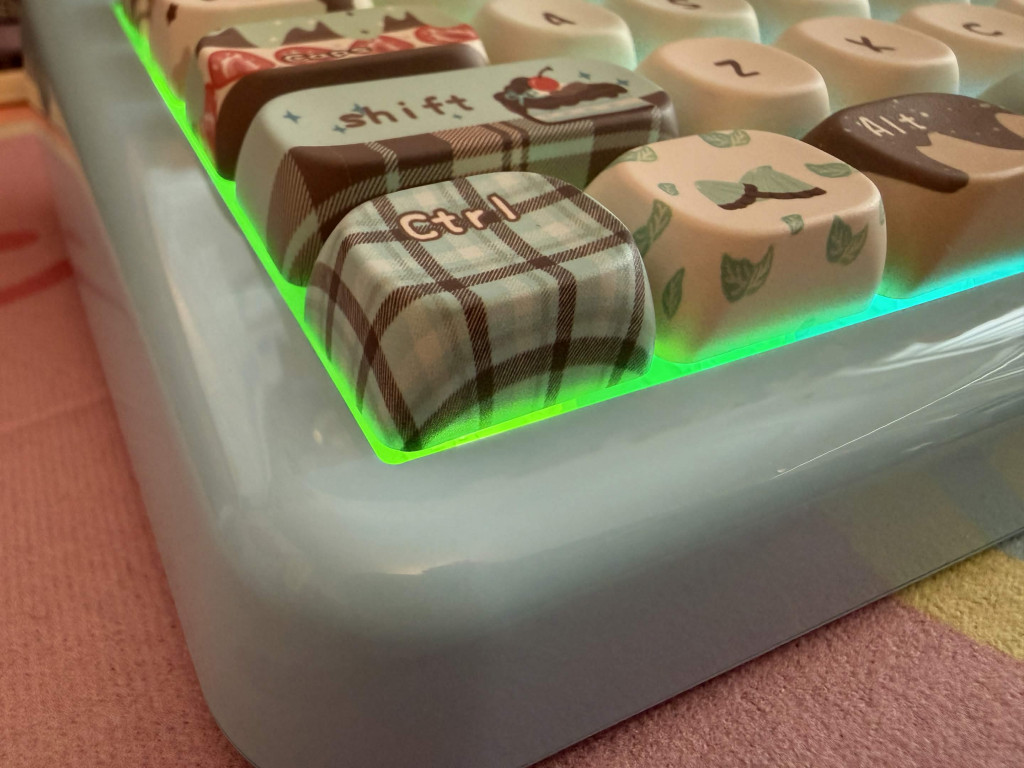
You don’t need me to tell you that the design element of the KiiBOOM Phantom 81 Lite is amazing. It has all the typical design elements of a 75% keyboard but don’t think that this is a basic bit of kit. There has been a lot of effort and thought put into this keyboard and it shows in every element. The keycaps are PBT MOA profile, meaning they are made of high premium matte plastic in a rounded uniform shape. Which again adds to the aesthetics of this keyboard. Not to mention the south facing RGB. Now I’m not a big RGB girlie, but I do love that the blue lights match the keyboard perfectly. If there was one thing I’d change it would be that the keycaps didn’t have the US layout of QWERTY but that’s a small gripe.
In terms of size the KiiBOOM Phantom 81 Lite weighs in at 935g which is a fair bit lighter than the NZXT Function Elite MINITKL. Measurements wise the keyboard is 33.6cm long, 15.1cm wide and 4.4cm in height.
Phantom sounds
Structurally the keyboard features a gasket mount made up various damping materials that you don’t really need me to list off. What you do need is for me to explain why this matters! Simply put all those layers work together to ensure your typing experience maintains rigidity and flexibility which all works together to ensure a really creamy thock typing sound. And boy does it. Regular readers know I’m a huge fan of a “clicky” keyboard, but this is next level. It sounds incredibly satisfying and genuinely gives me so much joy. I’ve even had requests from work colleagues to put my mic next to my keyboard during online meetings just so they could hear it! This would make the perfect asmr typing keyboard.
Features
Let’s start off the feature section with switches, the real key (pun intended) to a good keyboard. The KiiBOOM Phantom 81 Lite comes with pre-lubed KiiBOOM Mochi switches as standard, which are 40gf linear switches. Basically the switches feature a smooth light key stroke. Which means they require less force on the button to activate. Great news for gamers, fast typers and anyone who may suffer from hand fatigue or soreness when using a keyboard. Of course not all switches are for everyone and as this keyboard features a hot-swappable PCB (printed circuit board) you can easily swap the switches out. The same can be said of the keycaps too!
Of course the customisation doesn’t end with switches and keycaps. The KiiBOOM Phantom 81 Lite includes open source tool QMK/VIA compatibility. This isn’t just for your RGB lighting choices though. This can be used for any macros you could want. Be that for gaming or spreadsheets! You can make this your own device on every level.
Connectivity
The KiiBOOM Phantom 81 Lite can be connected in three different ways. Wired via USB-C or wirelessly via Bluetooth or 2.4GHz dongle. Polling rates vary with the wired and 2.4GHz dongle offering 1000Hz, whereas the Bluetooth option offers 125Hz. This does mean that the Bluetooth connectivity offers a slightly slower connection, but I didn’t find this too much of an issue when using it with my iPad. Yep, that’s right this beauty can be used with PC, Mac or Tablet. It can also easily toggle between connection types, meaning you can quickly swap from typing on your PC to your tablet without any pairing issue.
Of course when using this keyboard you’ll come against the age old issue of battery life. I found without the RGB on, I could get about 7 days worth of usage via the 2.4GHz dongle. However, this was significantly reduced to about a 1 day when using it with the RGB on. Predominantly I did all my testing using the wired connection and never had any issues.
Final Thoughts
There’s not much more I can say about the KiiBOOM Phantom 81 Lite. This keyboard simply looks, feels and sounds amazing to type on. I am now a big KiiBOOM fan and if you’re in the market for a midrange price point 75% keyboard I’d recommend this product to you in a heartbeat.
The KiiBOOM Phantom 81 Lite is very well deserving of the Thumb Culture Platinum Award.

Disclaimer: A product sample was received in order to write this review.
About Author
